
Support Centre · Guided tour · Step 5 of 10
5. Your showing days
3 min
By the end of this step
You know where you are going on a showing day and how to get there.
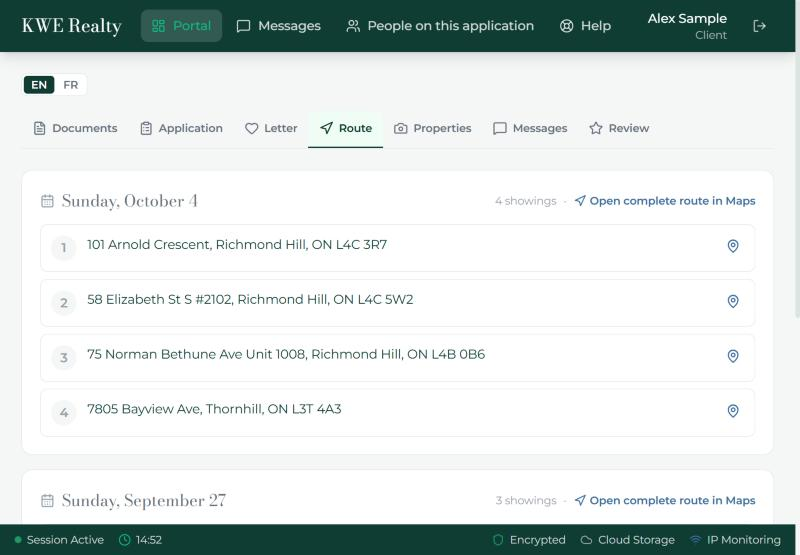
When your agent plans a day of showings, it appears on the Route tab: the date, the number of stops, and the addresses in the order you will see them.
- You get an email from your agent the moment a day is planned or changed, and a text if you have them on. Your agent may also set it to reach you later, say the evening before. The email and the text do not list the addresses; they are here, in the portal.
- Maps at the top of a day opens the whole route in Google Maps, stop by stop. Waze takes one address at a time: press Waze, then tap the address you are driving to. After each showing, tap the next one.
- Days are listed newest first and past days stay, so you can look back at where you went.
- Every stop is also added to the Properties tab, ready for your photos and notes; step 6 explains.
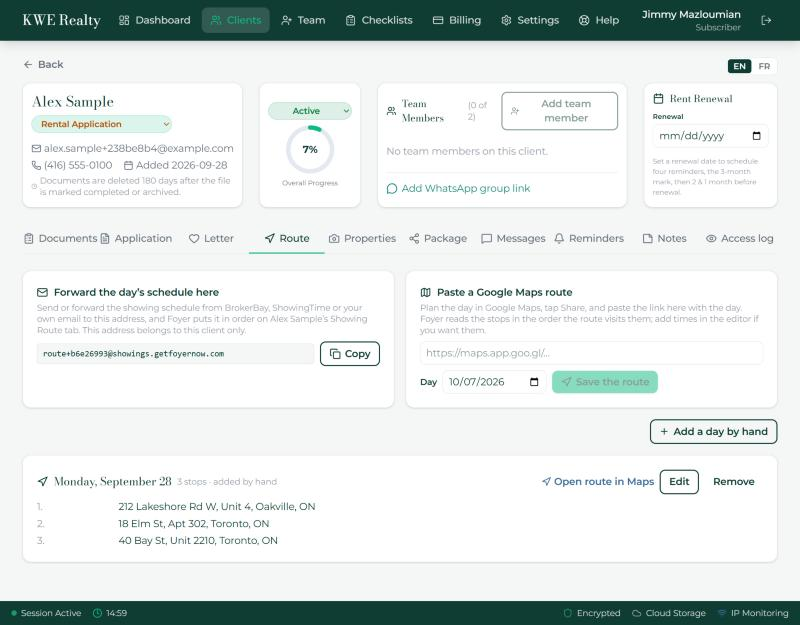
What your agent sees
Your agent builds the day on the Showing Route tab of your file, by forwarding the day’s schedule to Foyer or pasting a Google Maps route.
Still stuck? Write to support@getfoyernow.com