
Support Centre · Guided tour · Step 6 of 10
6. The places you have seen
4 min
By the end of this step
You can tell the places apart a week later and decide with your agent which one to go for.
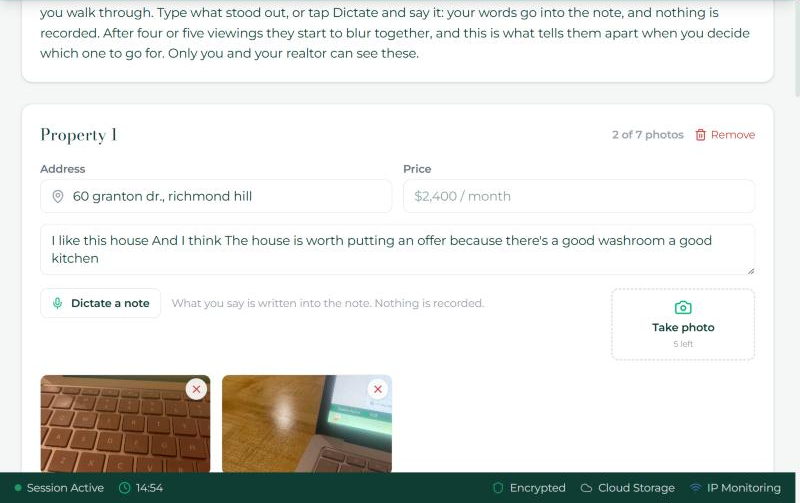
After four or five viewings the places start to blur together. The Properties tab is a board with a card per place: the address, the asking price, your photos and your note.
- The addresses from your showing days are already there. For any other place, press "Add another property" and type the address and the price. Up to 7 places, and up to 7 photos each.
- Press Take photo as you walk through, one photo per room, or choose a photo you already have.
- Type what stood out in the note, or press Dictate a note and say it: your words go into the note and nothing is recorded.
- Remove takes a card off the board. A card from a showing day stays off once you remove it.
- Only you and your agent can see these. They are not part of the application and never go to a landlord.
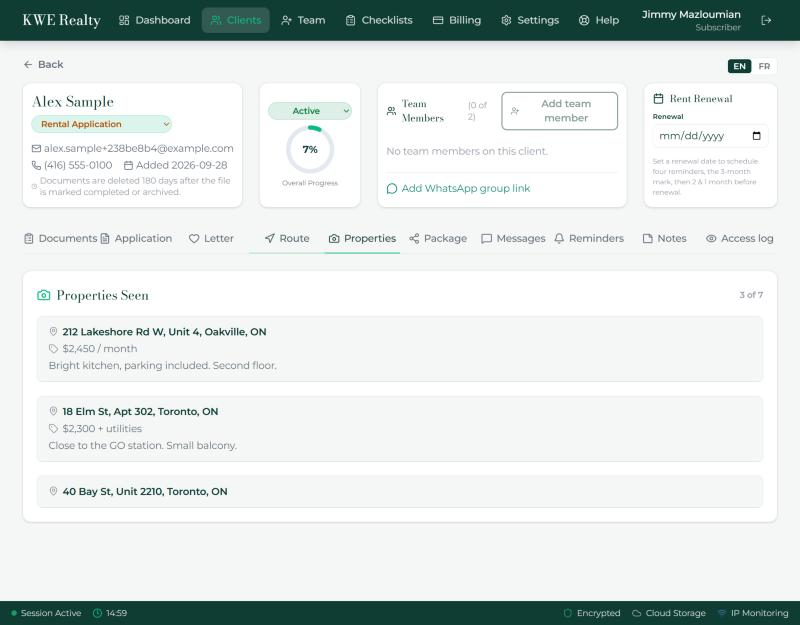
What your agent sees
Your agent sees the same board on the Properties Seen tab of your file, photos and notes included, which is what makes the conversation about which place to choose easy.
Still stuck? Write to support@getfoyernow.com