
Support Centre · Guided tour · Step 13 of 14
13. Your clients’ information
5 min
By the end of this step
You can show a renter who has opened their file, and answer the question every agent gets asked.
Renters ask whether their file is safe. Foyer’s answer is something you can show rather than promise.
The access log
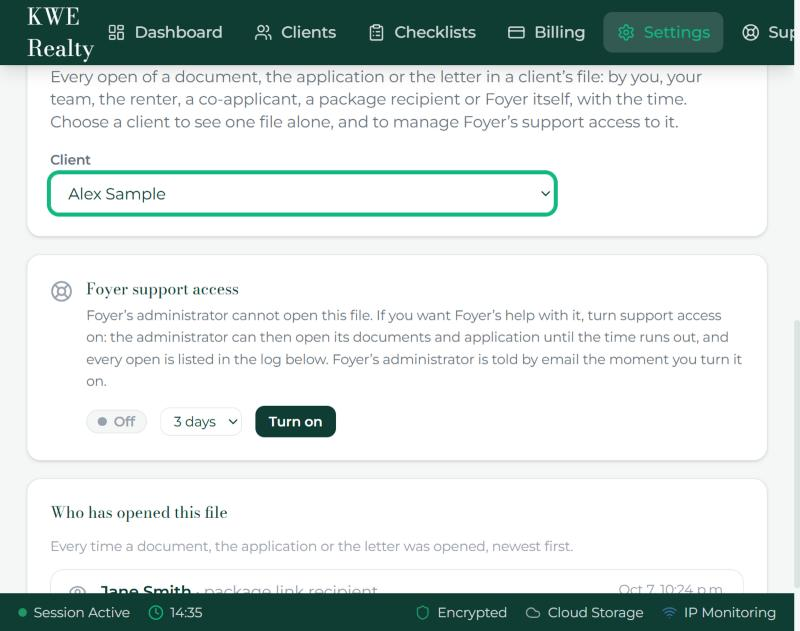
- Settings, Access log lists every open of a document, the application or the letter in your files: by you, your team, the renter, a co-applicant, a package recipient, or Foyer itself, with the time and the client’s name. Choose a client at the top to see one file. The renter sees the same list for their own file on their Account page.
Foyer support access
- Foyer’s administrator cannot open any client’s file. If you want help with one, choose the client under Settings, Access log, and turn Foyer support access on for one, three or seven days. Every open during that time is in the log, the administrator is emailed when you turn it on, and the switch turns itself off. Turn off ends it sooner.
What to tell a renter
- Everything is stored in Canada, in Montréal, encrypted, and is never sold or used for marketing.
- One brokerage cannot see another, and inside yours a team member sees only the clients given to them.
- Documents are deleted on the schedule in Settings, Retention once the file closes.
- A text or a notice on a phone never carries a document or an answer, only what happened and a link that asks for a sign in.
- The security page says all of this in public, and the terms make it a promise. Send them the link.
What the renter sees
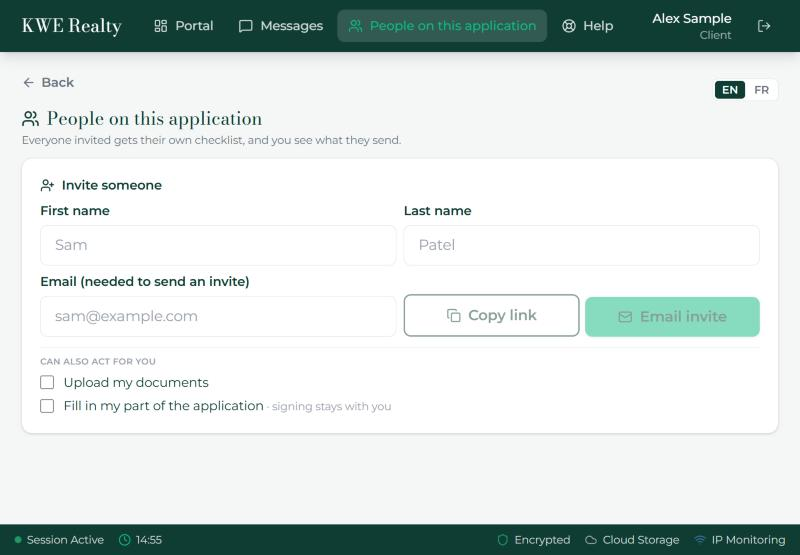
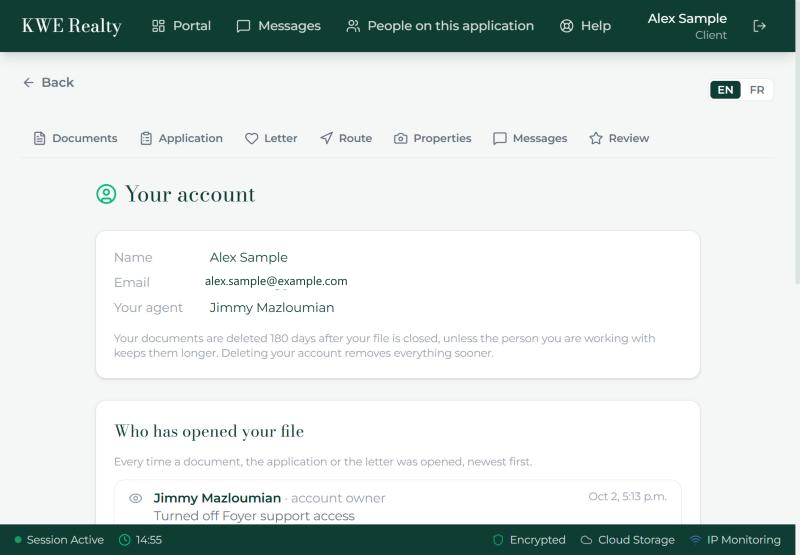
Their Account page shows their name, email and brokerage, the Text messages card with its Send me texts switch and mobile number, the retention period that applies to them, "Who has opened your file" with the same access log, and a button to delete their account and everything in it. People on this application, in their top bar, is where they invite co-applicants and decide what each may do.
Still stuck? Write to support@getfoyernow.com